
Skip to content

BUILT FOR PROPERTY AGENCIES

Know the status.
Empower your people.
Close more deals.

Your agents should be building relationships. Your leaders should be growing the agency. Give everyone a clear view of the work, from the first booking to the final commission.

One workflow. A stronger property agency.

Agency workspaceExample preview

YOUR AGENCY, AT A GLANCE

A clearer day ahead.

AL
Active deals24Across your agency
Ready for review03Know where to step in
Commission visibilityClearEvery breakdown in view
PROPERTY / AGENTNEXT STEP
The Maple · A-12-03Sarah Lim
Ready for signing
Parkside · 28Daniel Tan
Review documents
Skyline · B-08-06Aisha Rahman
Confirm booking
Less chasing. More moving forward.

A stronger agency starts with

Empowered people Smoother processes Visible performance Professional service

A CLEARER VIEW OF YOUR EVERYDAY WORK

One agency. Five ways
to move forward.

From commission questions to customer paperwork, imagine the information your team needs, right at hand.

A connected workspace for your agency

Illustrative screens · Example data.

LESS FRICTION. MORE CONFIDENCE.

Great agents need room to sell.
Give them less to worry about.

Behind every deal is a person who needs an answer. Make the answers easier to find.

02 / AGENT PERFORMANCE

“How am I doing?”

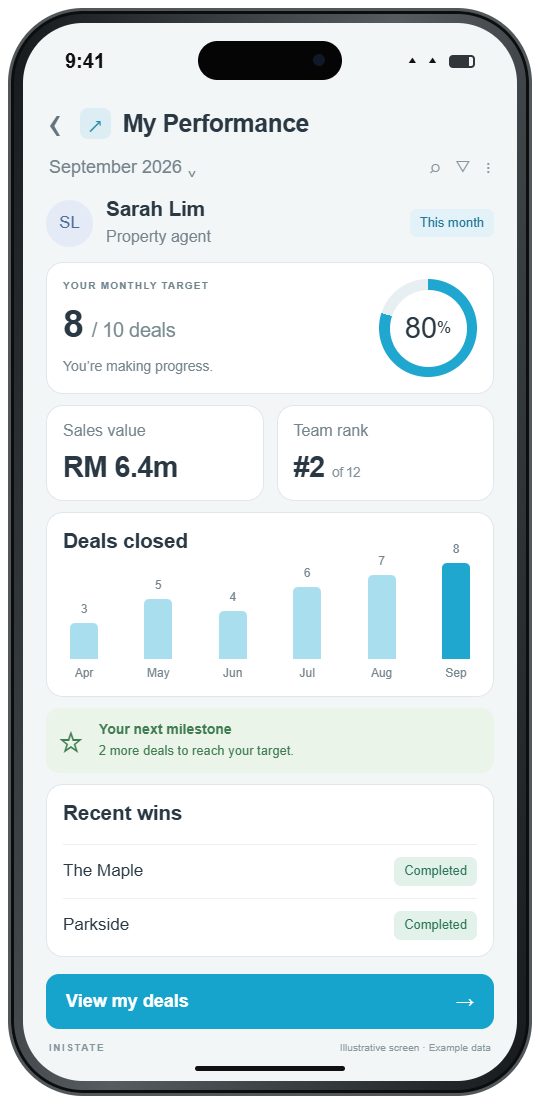
Make progress worth seeing.

Bring sales, targets, and rankings into view so agents can see their progress and leaders can recognise the work behind the results.

Clear goals. Recognition that matters.
03 / TEAM VISIBILITY

“Where does my team need me?”

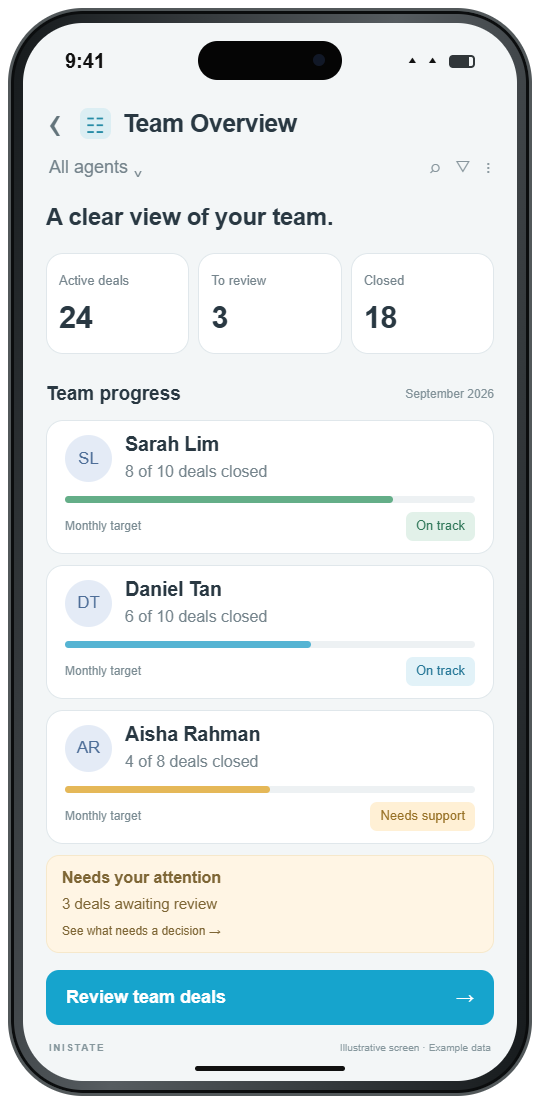
Lead with a clearer picture.

See who owns each deal, what is moving, and what needs attention. Give support where it helps, before a stalled case becomes a missed opportunity.

Better conversations. More focused coaching.
04 / LESS ADMIN

“Any update?”

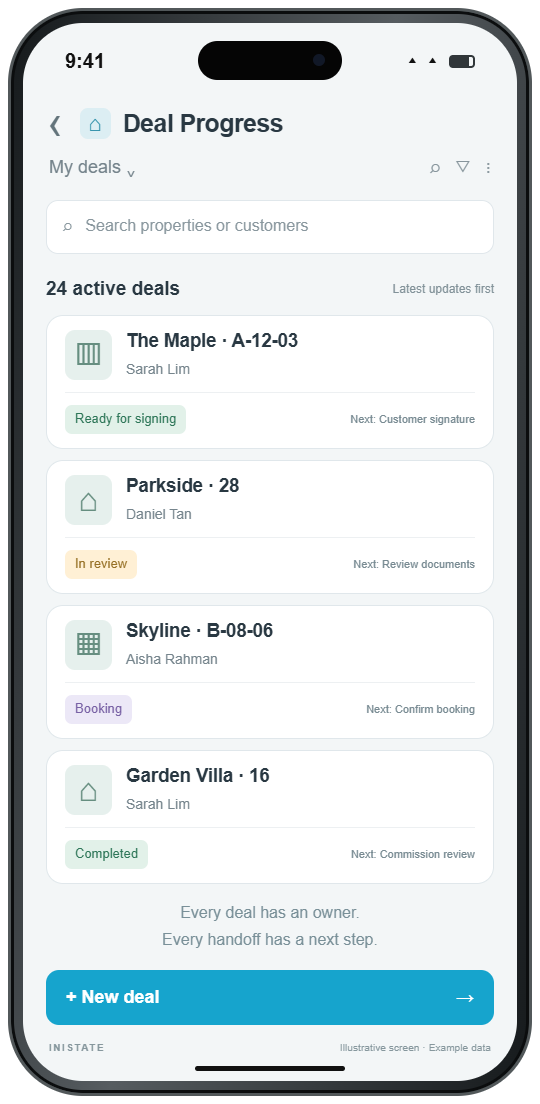
Let the status do the talking.

Keep updates, documents, and the next action with the deal. Give your team a place to check progress without another round of messages and manual follow-ups.

Fewer repeat questions. More time back.
05 / PROFESSIONAL PAPERWORK

“The customer is ready. Are we?”

Keep the momentum going.

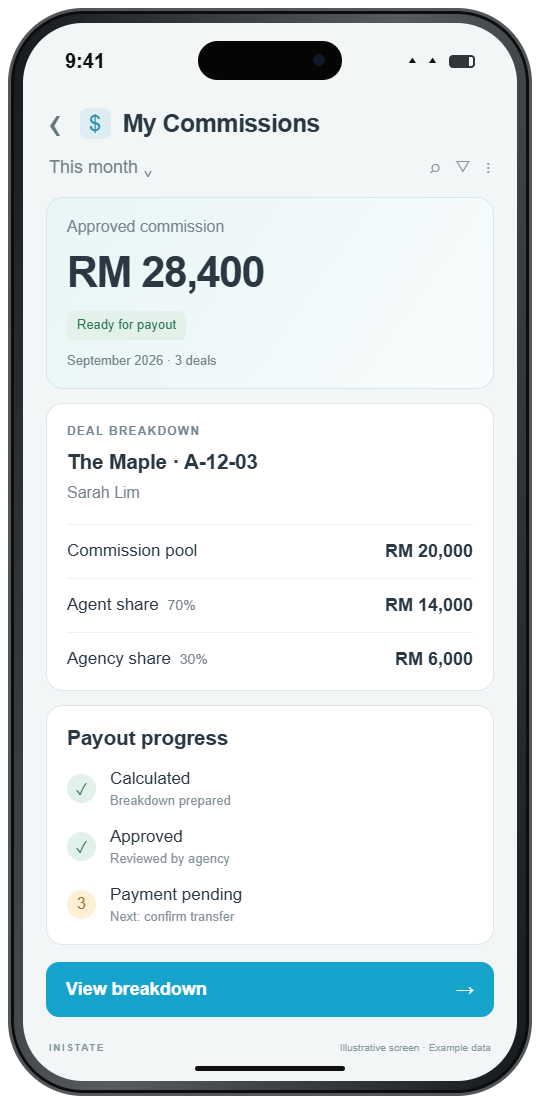
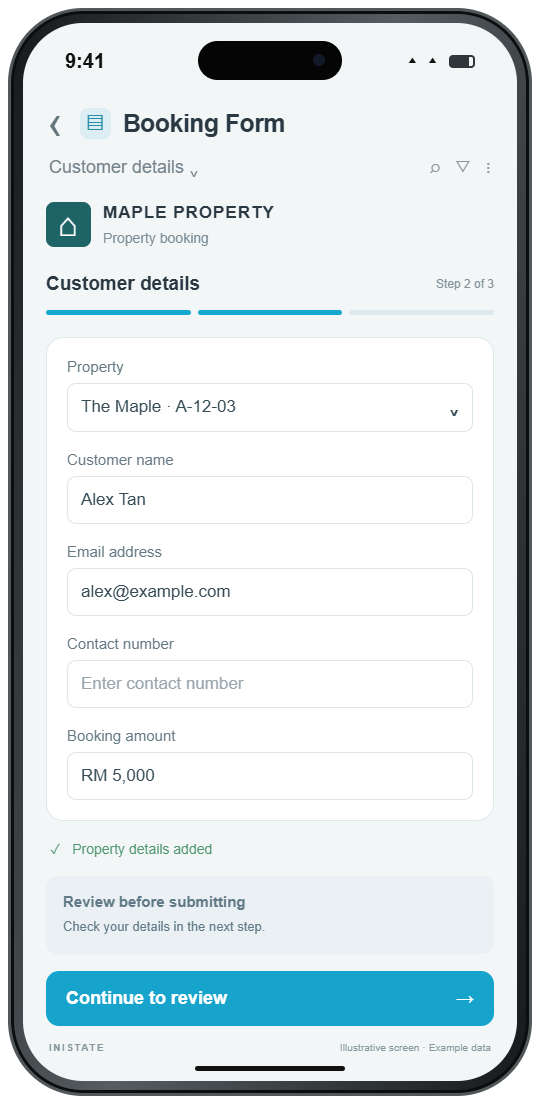
Use branded e-forms to collect the right details and route paperwork for review. Keep preparation, corrections, and signing status visible from one record.

A smoother experience from start to finish.

ONE DEAL. ONE CONNECTED WORKFLOW.

From “I’m interested”
to “commission received”.

Connect the handoffs that keep a property deal moving. Adapt the steps to how your agency works.

  1. 01

    Capture the booking

    Record the property, customer, and agent together. Start with the details your team needs.

  2. 02

    Prepare & review

    Collect details with e-forms. Keep documents and corrections attached to the deal.

  3. 03

    Track to completion

    Make the owner and next action clear through approvals, signing, and closing.

  4. 04

    Confirm commission

    Review the breakdown and approvals, then track payment status in the same record.

Every handoff has an owner. Every deal has a next step.

The template you start from

Property Deal

Pick Property Deal when you create your workspace. It opens with these states and steps, plus 6 sample records, so you can walk a record through before your own work goes in. Change any of it as you go.

Fields

  • Property
  • Buyer
  • Agent
  • Price
  • Booking Date
  • Documents
  • Commission
  • Corrections
See all templates
Property Deal workflow Starts at Booked. From Booked, Submit Documents moves it to Documents Review and Cancel moves it to Cancelled. From Documents Review, Return for Corrections moves it to Booked, Mark Signed moves it to Signed and Cancel moves it to Cancelled. From Signed, Pay Commission moves it to Commission Paid. Submit DocumentsReturn for CorrectionsMark SignedPay CommissionCancelCancel BookedDocuments ReviewSignedCommission PaidCancelled

PROPERTY IS A PEOPLE BUSINESS

More time for the people
behind every property.

A viewing. A conversation. A customer ready to take the next step. Give your team space for the moments that move a deal forward.

Bring your agency’s workflow to life
Two colleagues reviewing documents together beside a laptop
A team working with confidence.
Sunlit property lobby with tall windows and indoor greenery
A better experience at every step.

BETTER FOR THE WHOLE AGENCY

When the work is clear,
people can do their best.

A shared workflow connects your team around the same deal, with the information each person needs to move it forward.

See it for your agency
01

For agents

Know your next action, see your performance, and understand your commission. Spend more time with customers.

02

For leaders

See the team’s progress, spot stuck deals, and recognise achievement. Coach with context.

03

For operations teams

Keep records complete, route reviews, and answer fewer repeat questions. Help every deal move smoothly.

LET’S MAKE IT PRACTICAL

A few things you
may be wondering.

Can we use our own commission structure?

Inistate workflows can be configured around your agency’s rules. Bring examples of your splits, overrides, and approval steps to the demo so we can review the setup your team needs.

Do we have to change everything at once?

Start with one workflow, such as deal tracking or commission approvals. Agree on the steps with your team, try it with a small group, and expand when you are ready.

Can our forms reflect our agency’s brand?

Use branded e-forms to collect customer and property details. During the demo, we can review your current forms, required fields, and document or signing steps.

What should we bring to the demo?

Bring one typical deal journey, a sample form, and an example commission breakdown with personal details removed. We’ll use them to discuss the workflow, team views, and handoffs that matter to your agency.

YOUR NEXT CHAPTER STARTS WITH A CLEARER WORKFLOW

A stronger agency.
A brighter future.

Help your people work with confidence.
Give every deal a clearer path to completion.

Book a demo Let’s walk through your agency’s workflow together.

Select a state, a step or a field to see how they connect.

States

Steps

    Information